Text message alerts
DataDad Uptime Alerts texts you when one of your uptime monitors goes down or comes back up. Account holders turn it on for their own mobile number in the DataDad dashboard.
Updated
The program
- Program name: DataDad Uptime Alerts.
- Messages: an alert when one of your uptime monitors goes down or comes back up, and one-time codes that confirm your number. No marketing messages.
- Who gets them: only mobile numbers that a signed-in account holder adds and confirms in the dashboard.
- Frequency: varies with your monitors’ status, up to 20 messages per hour.
- Cost: message and data rates may apply. Each text also uses credit from your DataDad balance.
How to opt in
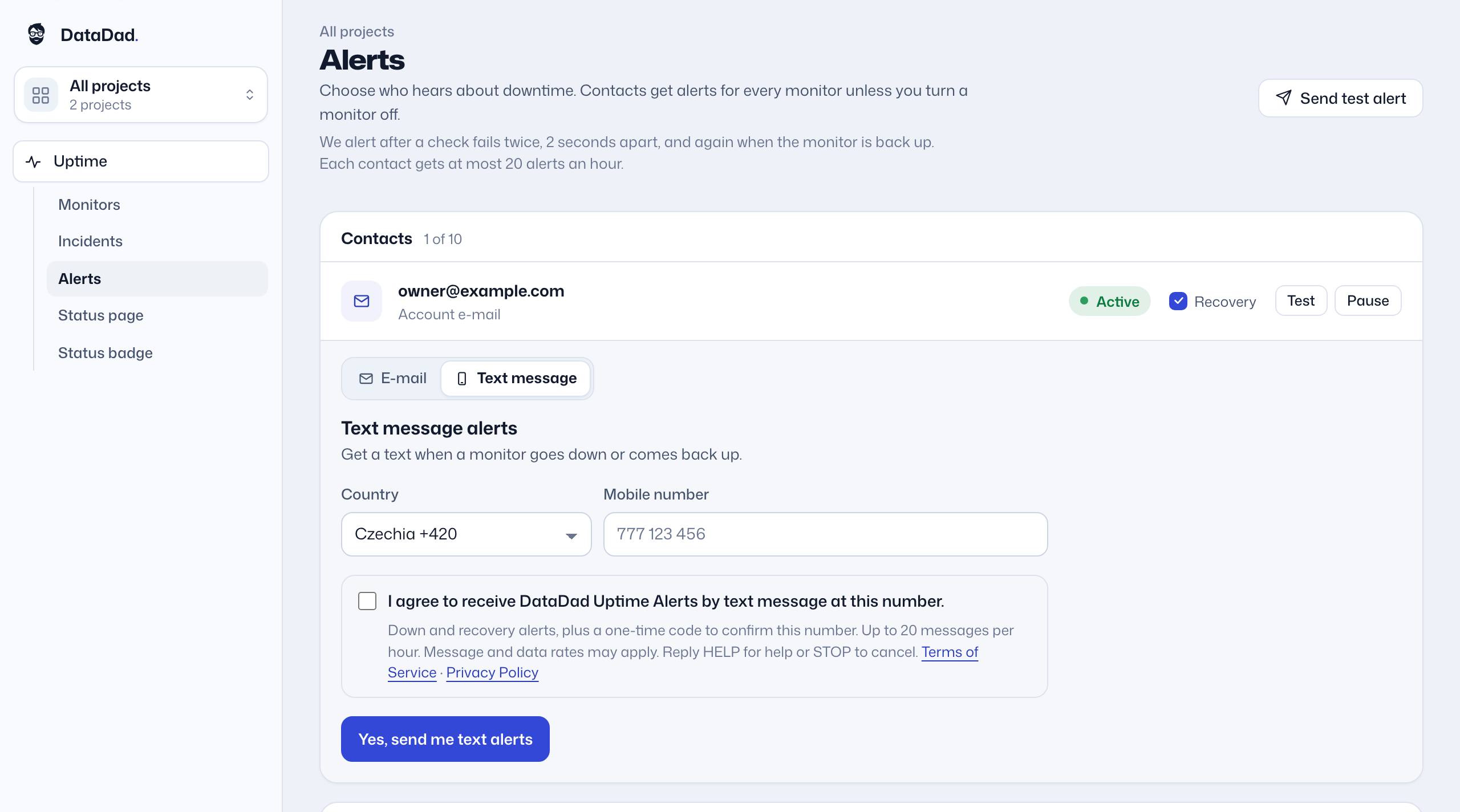
- Sign in to the DataDad dashboard and open Uptime → Alerts.
- Under Contacts, choose Text message, or open “Add a mobile number”.
- Choose the country and enter your mobile number.
- Read the program details and check the consent box. The box is not checked for you, and the form cannot be sent without it.
- Select “Yes, send me text alerts”. We text a 6-digit one-time code to the number.
- Enter the code in the dashboard. Alerts start only after the number is confirmed.
The opt-in form
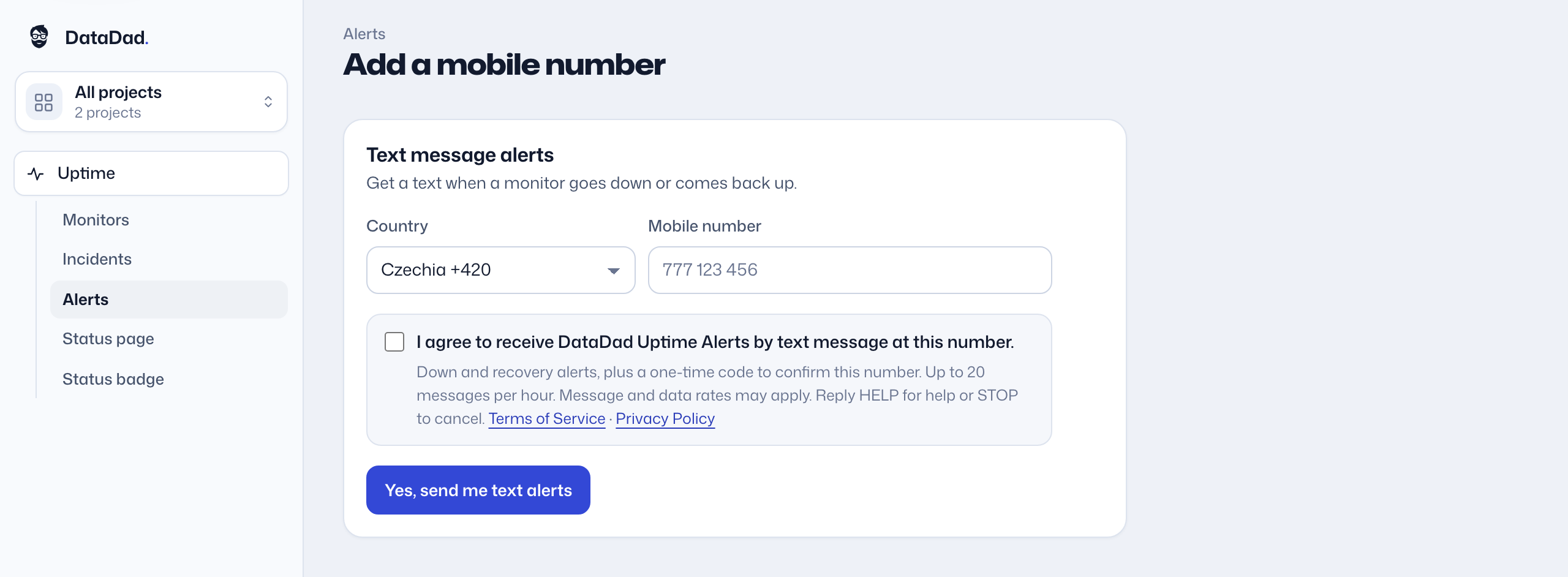
The form shows this text, in this order, around the number field:
Text message alerts
Get a text when a monitor goes down or comes back up.
I agree to receive DataDad Uptime Alerts by text message at this number.
Down and recovery alerts, plus a one-time code to confirm this number. Up to 20 messages per hour. Message and data rates may apply. Reply HELP for help or STOP to cancel. Terms of Service · Privacy Policy
Yes, send me text alerts
Messages you get
Every message starts with “DataDad:” and fits in one text message. Examples:
- One-time codeDataDad: your code is 482913. Msg&data rates may apply. Reply HELP for help, STOP to cancel.
- Monitor downDataDad: Checkout is down (HTTP 503) since 14:06 UTC. data.dad/dashboard/uptime Reply STOP to cancel.
- Monitor up againDataDad: Checkout is up again at 14:19 UTC. Down 13 min. data.dad/dashboard/uptime Reply STOP to cancel.
We send at most 20 alerts per hour to one number, and at most 3 codes per hour to one number. You can turn off the “up again” alerts for each number.
Help and opting out
- Reply HELP for help. You can also write to support@data.dad.
- Reply STOP to cancel. We confirm with one final message and send no more.
- To opt in again, reply START, then select Resume next to the number on the Alerts page.
- You can also pause or remove the number on the Alerts page at any time.
Carriers are not liable for delayed or undelivered messages. Read the full SMS Terms and how we handle your number in the Privacy Policy.
Contact
DataDad Uptime Alerts is operated by:
Petr PellerSole trader (OSVČ), Czech Republicsupport@data.dad